
GAEB tenders
directly in Ivalua. No detours.
The GAEB Connector natively connects the GAEB standard (X83/X84) with Ivalua. Tenders, lots and bids are automatically parsed, structured and ready for immediate processing — without any manual data entry.
In addition to X83/X84, the GAEB Connector also supports the X80 and X81 formats.


What is GAEB — and why does Ivalua need a connector?
GAEB (Gemeinsamer Ausschuss Elektronik im Bauwesen — the German Joint Committee for Electronics in Construction) is the established data exchange standard for tendering, awarding and billing in the construction industry. Bills of quantities are sent as X83 files and bids are returned as X84 files — both in a complex, industry-specific format that Ivalua does not understand natively. In addition to X83, the GAEB Connector also supports the X80 and X81 formats.
Complex file formats
X80/X81/X83/X84 files contain thousands of line items, quantities, units and lot structures — barely manageable by hand.
No native GAEB in Ivalua
Ivalua is designed for classic procurement — industry-specific construction formats require a dedicated translation layer.
The GAEB Connector closes the gap
It parses GAEB files automatically and returns structured, directly usable data to Ivalua — in seconds instead of hours.
Data flow between Ivalua and the GAEB Connector
Ivalua sends the tender in GAEB format (X80, X81, X83 or X84) to IvaLayer. The GAEB Connector responds with formatted JSON that Ivalua processes directly.
GAEB add-on installed
Tender data is captured in the Ivalua system and provided as an X80, X81, X83 or X84 file.
Parse & structure
The GAEB Connector reads the file, validates the structure and converts lots, line items, quantities and prices into structured data.
Formatted JSON
Ivalua takes over the data directly — project, lots and line items are immediately visible in the system.
For buyers and suppliers alike
From GAEB upload to a fully populated sourcing project — and from bid upload to evaluation, shown with real screens from Ivalua. The process is identical for X80, X81, X83 and X84.
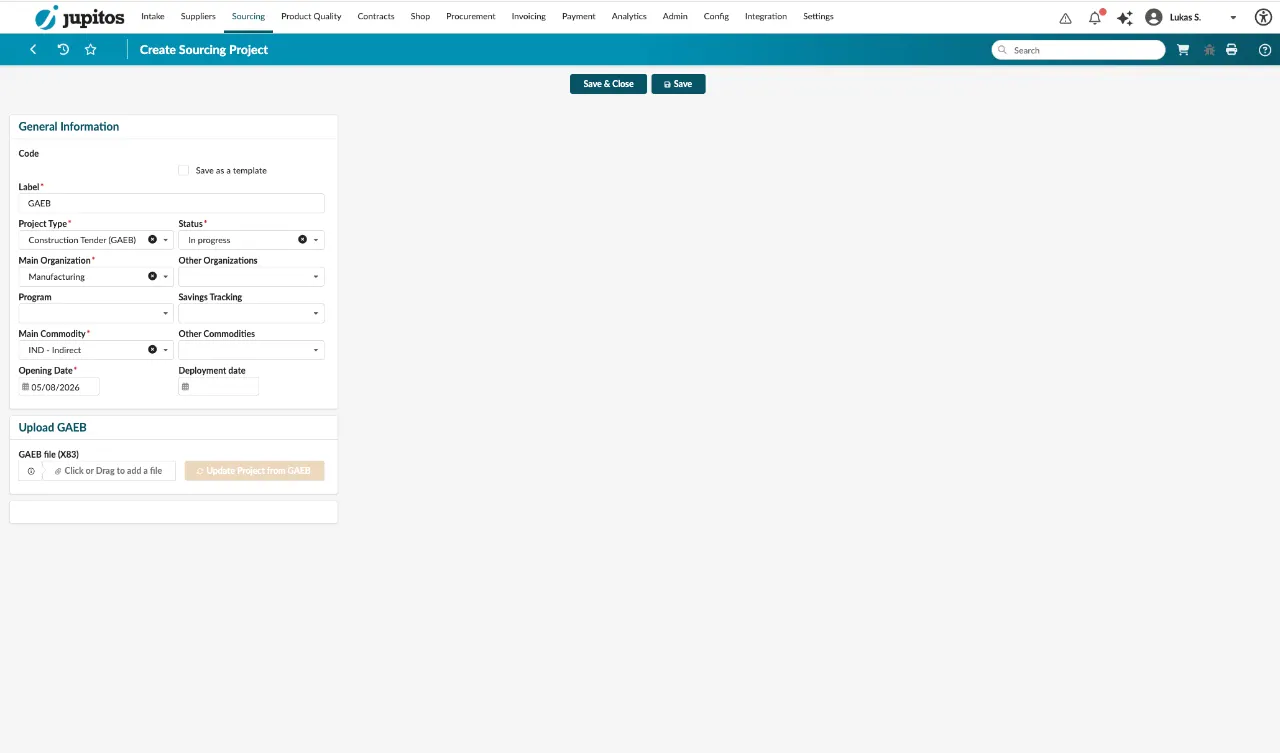
Create a sourcing project & upload the GAEB file
Buyers start a new sourcing project in Ivalua and upload the GAEB tender directly — whether X80, X81 or X83.
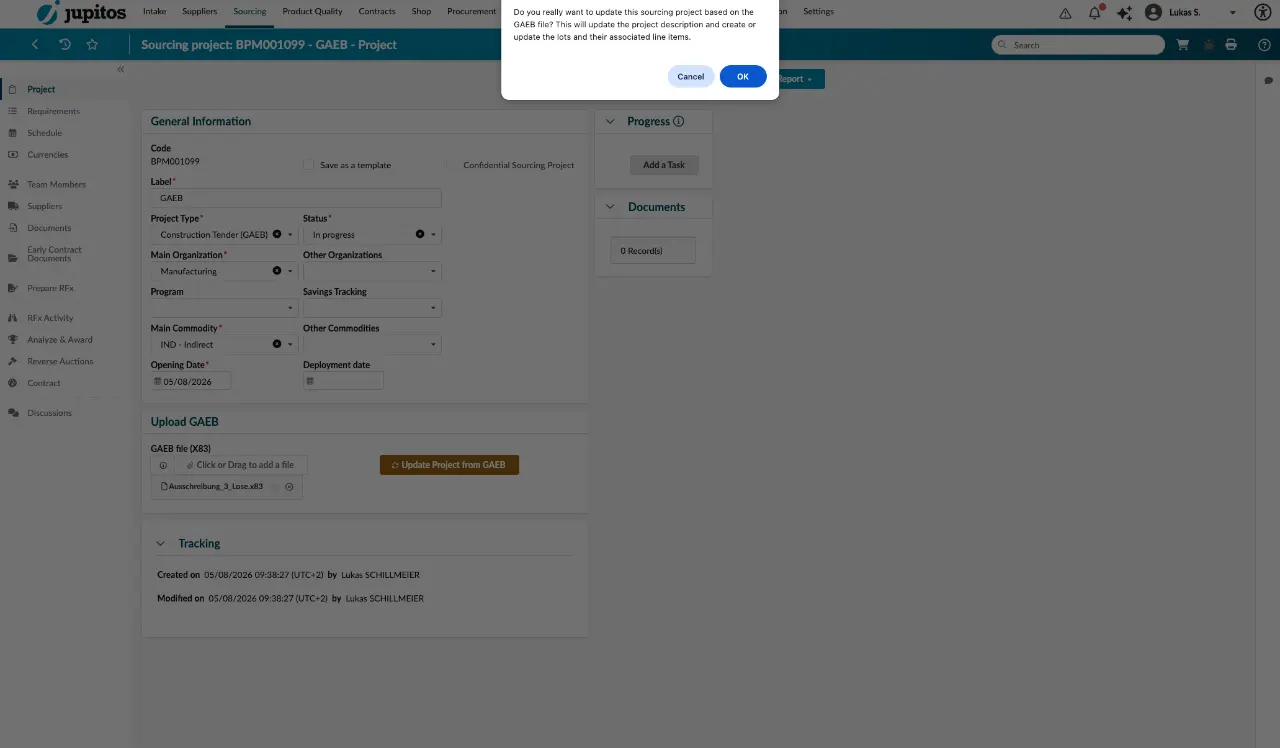
Lots are created automatically
The GAEB Connector generates all lots from the file and makes them available for selection right away.
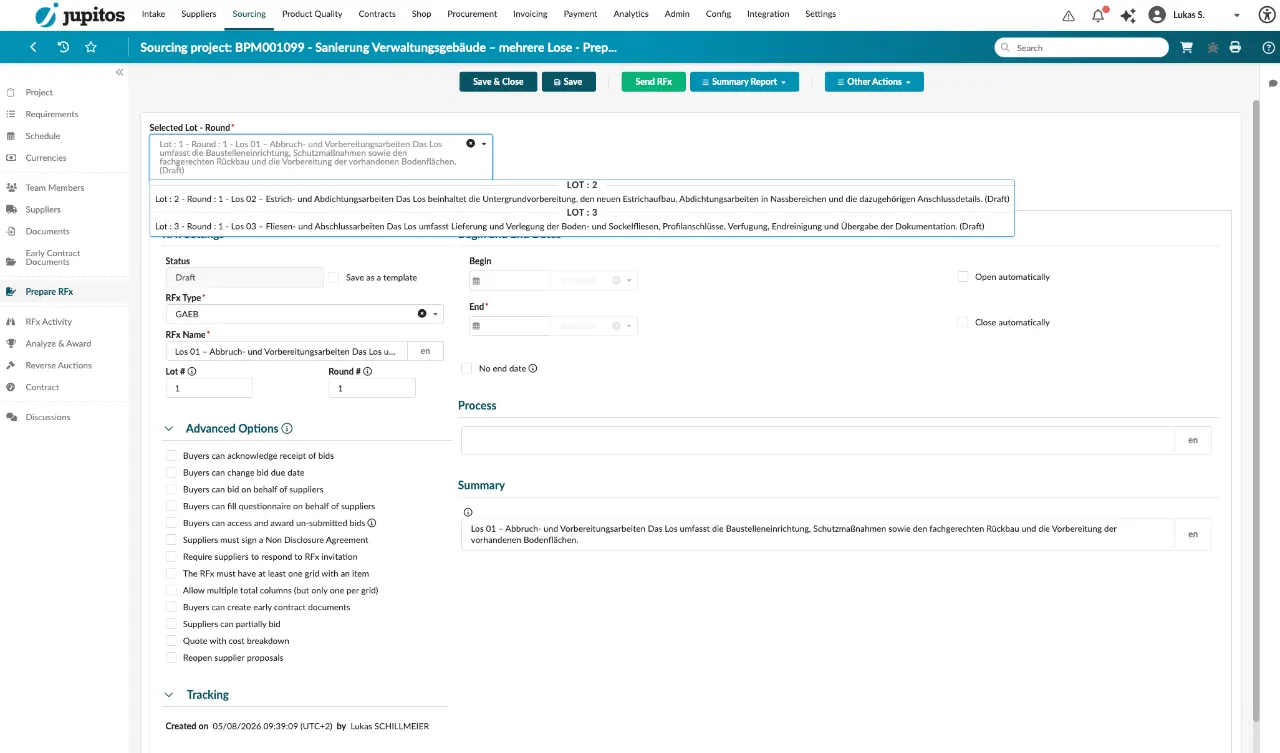
Each lot as its own RFx round
Lots are directly available as separate tender rounds — no manual setup required.
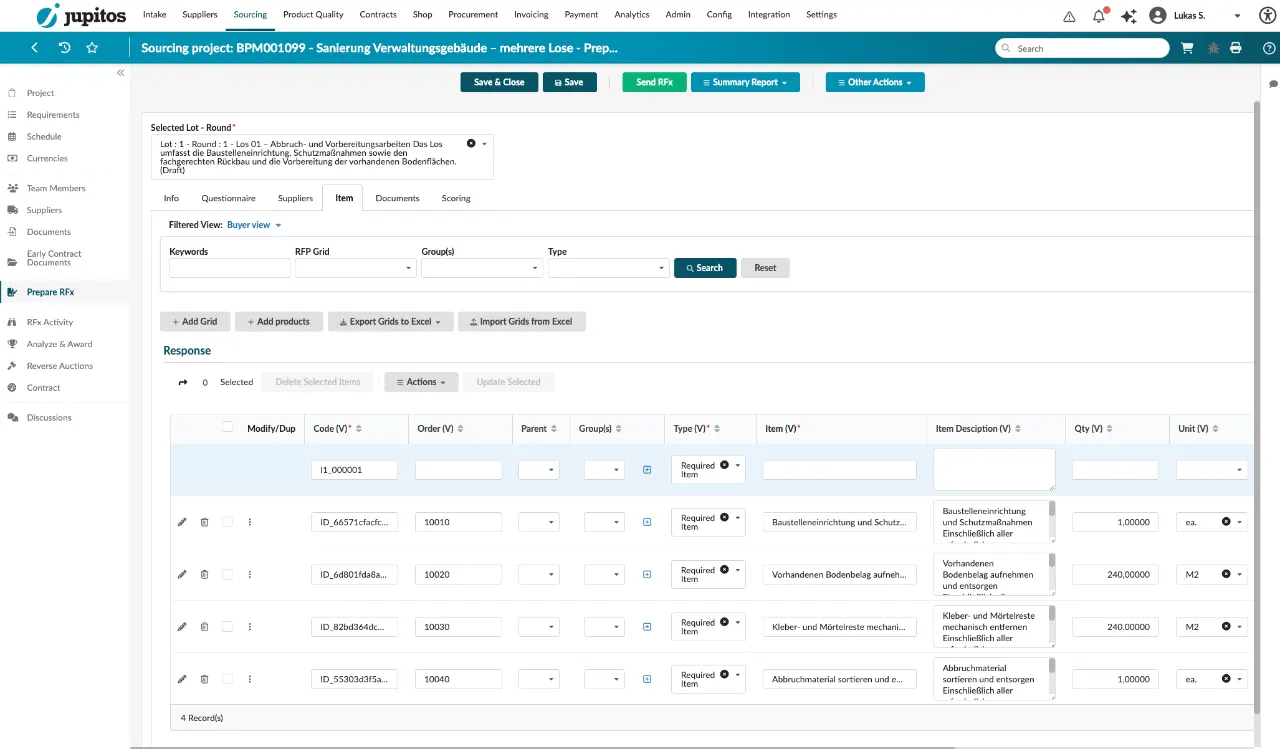
Line items incl. quantities and units in the grid
All line items are instantly visible and editable in the Ivalua grid, fully structured.
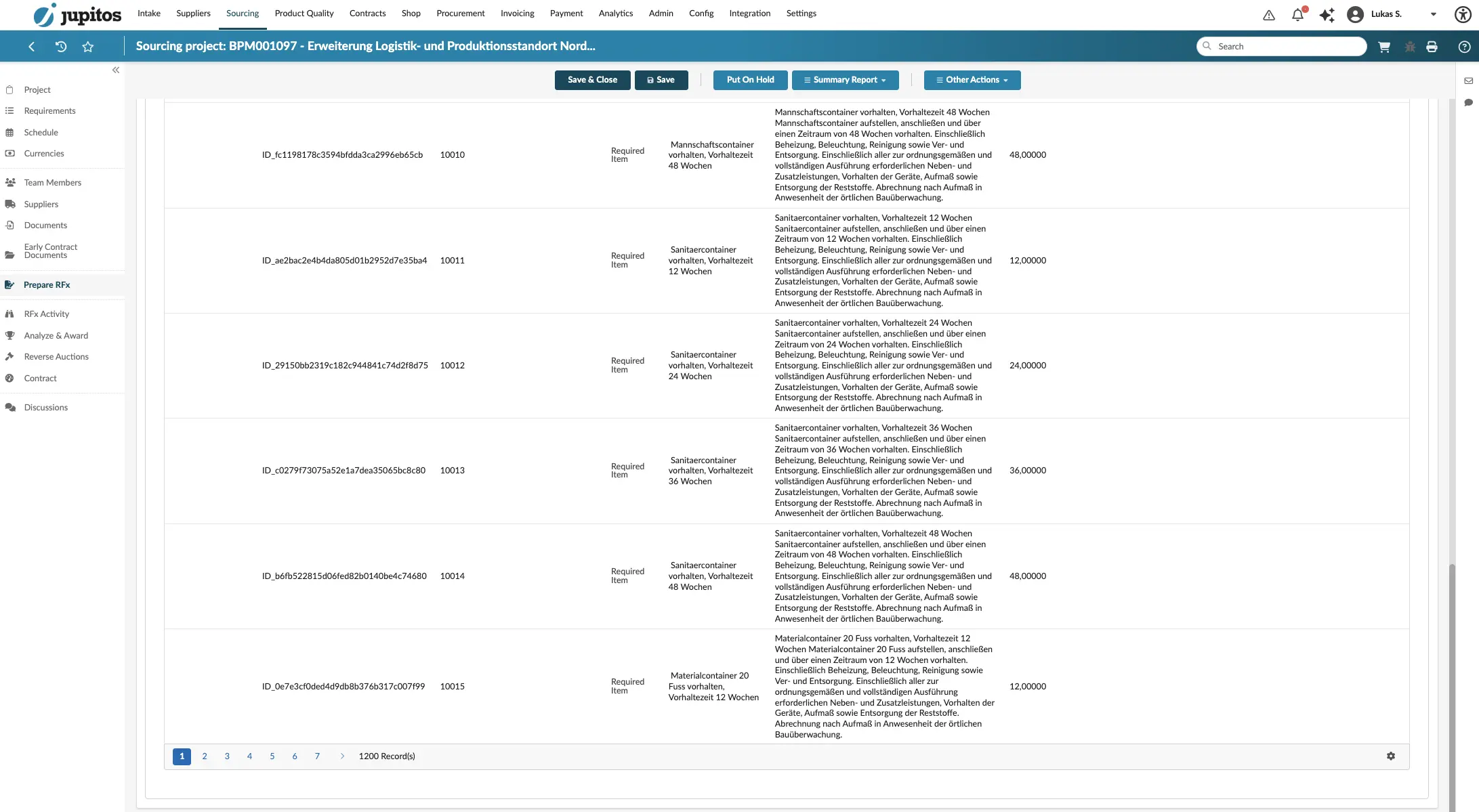
Even with large numbers of line items
Whether a handful or hundreds of line items across many lots — the GAEB Connector reliably processes even extensive bills of quantities.
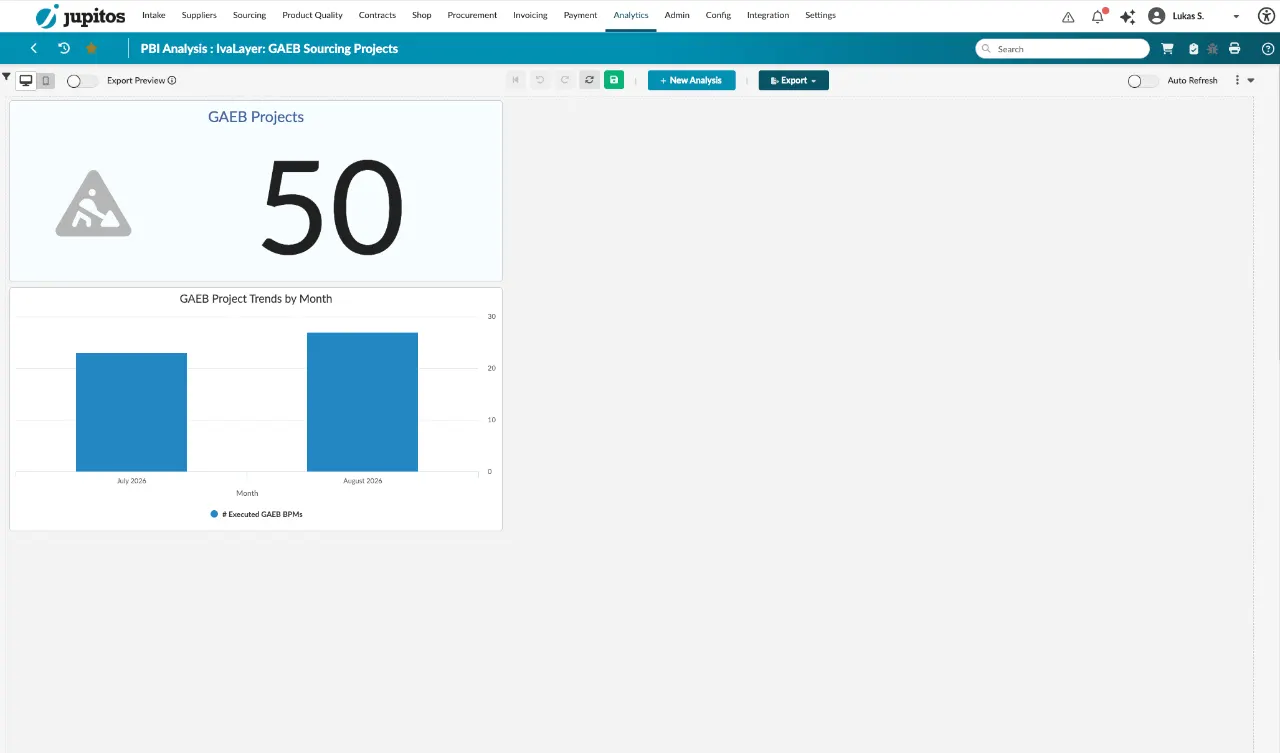
Analytics for procurement
An analytics dashboard shows procurement at a glance how many construction tenders have been completed, are currently running or are counted in total.
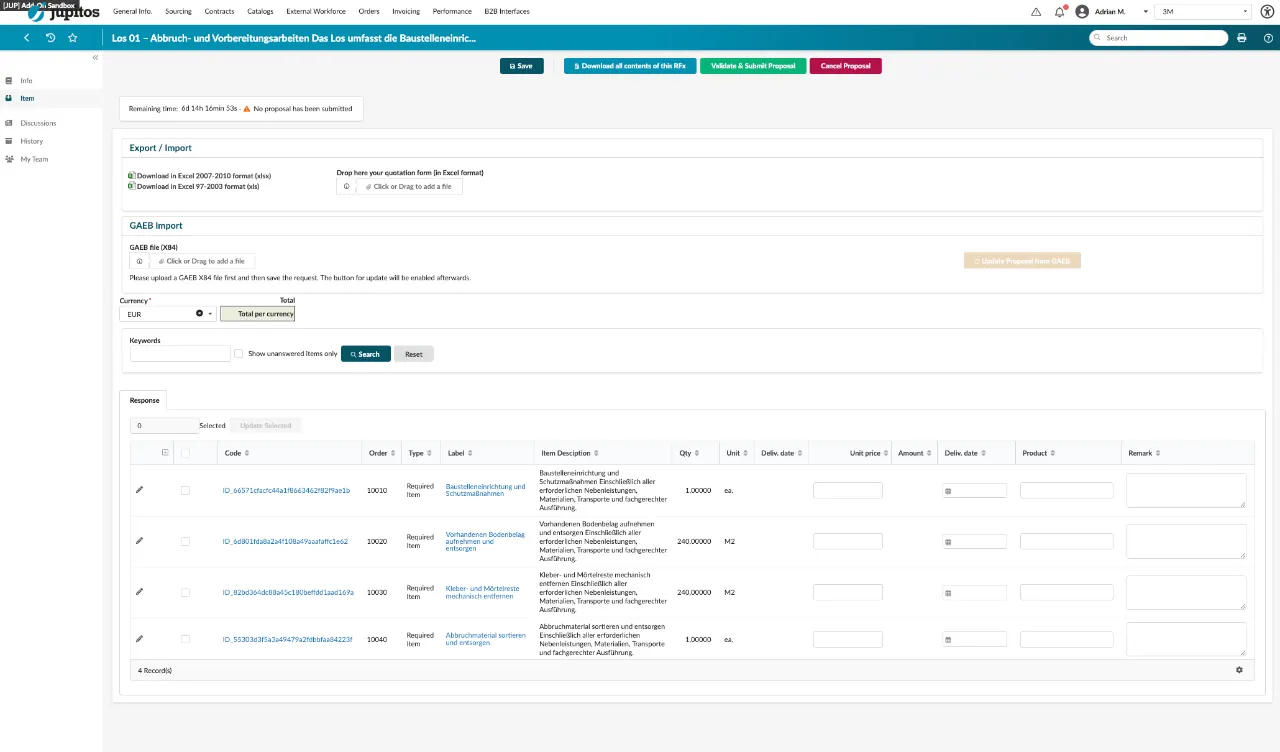
Upload the bid as a GAEB file (X84)
Suppliers upload their bid in GAEB format directly in the Ivalua portal. The notice at the top guides them through the upload; below it, the imported line items appear, ready to be filled in.
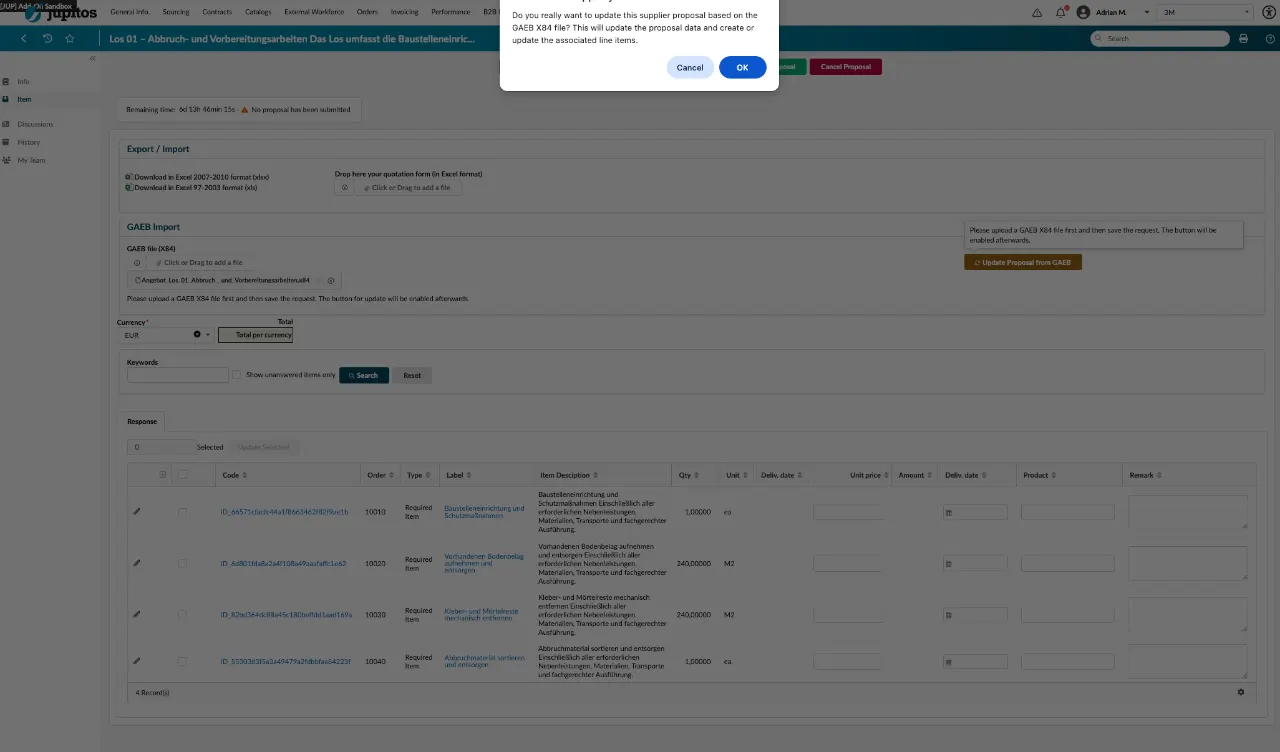
Confirmation after upload
Before importing, Ivalua confirms: bid data and line items will be created or updated from the X84 file.
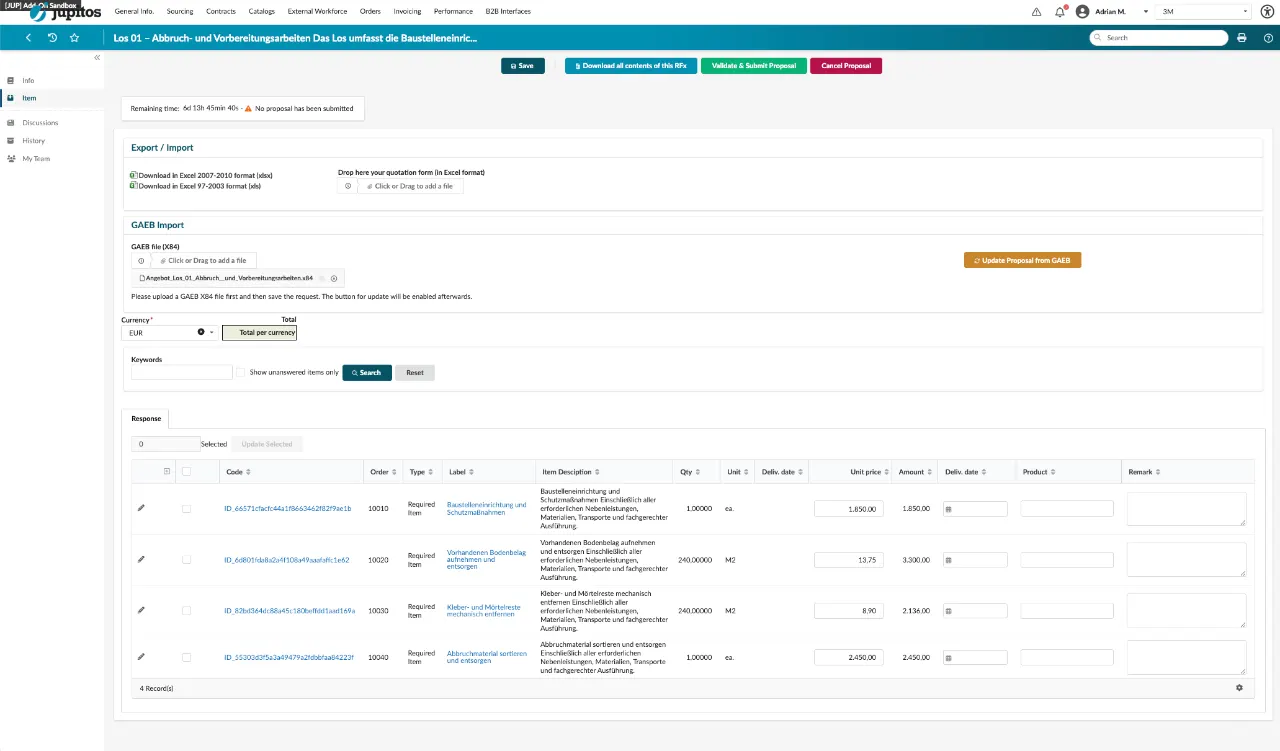
Prices at a glance
After the import, unit prices and totals per line item are directly visible in the bid and ready for submission.
From setup to day-to-day use in Ivalua
Your implementation partner handles the one-time technical setup. IvaLayer provides the GAEB Connector as a licensed product including an annual usage fee.
Installation & setup
The GAEB Connector is set up by the implementation partner.
One-time fixed priceOperated by IvaLayer
The connector runs as a licensed IvaLayer product on EU-hosted servers.
Annual fee per editionUse in the target system
The GAEB Connector is natively integrated into Ivalua and ready to use immediately.
Customer's target systemFrom setup to productive use in around 4 weeks
A sample rollout of the GAEB Connector at the customer. The first 4 weeks are license-fee-free — the first installment is only due after successful implementation.
after successful implementation
Setup & customization
The Ivalua add-on is installed and adapted to the end customer; subsequent testing leads to the prototype.
Hypercare
Supervised operation with close support and fine-tuning based on the prototype.
Productive use
The GAEB Connector runs in regular operation for buyers and suppliers.
From week 5, once productive use begins, ongoing savings are achieved through automated GAEB import.
What the GAEB Connector saves
Time spent and price transparency — as a sample calculation to try out.
Assumptions: approx. 2 min. of manual entry per line item; 5–15 % savings potential through broader bid comparison.
Editions at a glance
Four editions, tiered by the number of active construction projects. You will receive your individual quote incl. contract term on request.
Premium
- 250 active construction projects
- Priority support
Contract terms of 1, 3 or 5 years are available, each with a tiered term discount. A one-time installation fee applies.
Two ways to obtain the GAEB Connector
Choose the contracting route that fits your existing relationship with your implementation partner or IvaLayer.
Directly from IvaLayer
Contract directly with IvaLayer, at current terms with no surcharge on the license costs.
Existing implementation partner
Your current implementation partner becomes the contracting partner for the license. In this case, an additional 6.5 % applies to the license.
Ready for seamless GAEB data exchange in Ivalua?
Schedule a demo or request an individual quote for your construction project in Ivalua.
Talk to us about your GAEB use case
Whether a demo, an individual quote or technical questions about the integration — we usually respond within one business day.